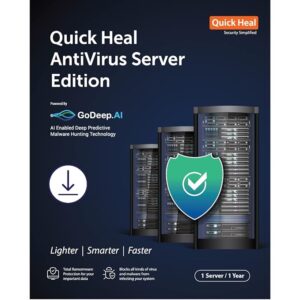
Quick Heal Antivirus for Servers: Heavy-Duty Protection with Advanced Features
Introduction
Quick Heal Antivirus for Servers is designed to deliver robust security for large corporate servers. With its powerful features and easy management, it ensures seamless protection against malware, ransomware, and other cyber threats, safeguarding critical business data and operations.
Key Benefits of Quick Heal Antivirus for Servers
Comprehensive Ransomware Protection
Protects critical data against ransomware attacks.
Blocks unknown ransomware in real time using advanced behavior detection technology.
Includes automatic backup of important files for easy restoration.
Advanced Wi-Fi Security
Scans your Wi-Fi router for vulnerabilities like weak passwords or encryption.
Recommends security measures to safeguard your connection against threats like DNS hijacking.
Anti-Keylogger Technology
Prevents keyloggers from recording sensitive information during online banking, shopping, or browsing.
DNA Scan Technology
Detects and blocks unknown threats using behavioral analysis and characteristic inspection.
Multiple Scan Options
Offers on-demand scanning, scheduled scanning, or targeted file and folder scanning for maximum flexibility.
Enhanced Features for Corporate Servers
Firewall Protection
Blocks external and internal threats.
Allows customized profiles for network connections (e.g., Home, Work, Public).
Includes Stealth Mode to hide your server from hackers.
External Drive Protection
Blocks malware from USB devices, CDs, and DVDs.
Automatically scans external drives upon connection.
Phishing Protection
Prevents access to phishing and fraudulent websites.
Safeguards users from sharing sensitive data with hackers.
Vulnerability Scan
Detects and resolves security loopholes in OS settings and applications.
Prevents unauthorized access by patching vulnerabilities.
Advanced Malware and Virus Protection
Scans files, folders, and registries for spyware, adware, and malicious programs.
Prevents malware infiltration in real time.
Specialized Server Protection Features
Auto-Silent Mode
Suppresses unnecessary prompts and notifications for uninterrupted operations.
Hijack Restore
Restores default browser settings altered by malware or spyware.
USB Drive Protection
Prevents autorun malware from spreading through USB devices.
Intrusion Detection and Prevention System (IDS/IPS)
Blocks unwanted access attempts and hacking attempts.
Enhanced Self-Protection
Safeguards Quick Heal processes and services from being tampered with.
Ease of Management for IT Teams
Import and Export Settings
Easily transfer security settings between multiple systems for streamlined management.
Quick Heal Remote Device Management (RDM)
Manage all Quick Heal-enabled devices from a single portal.
Receive alerts for malware infections and critical issues.
Automatic Backup
Supports automatic smart backups to protect important data.
Allows secure copying of backups to external devices for additional safety.
System Requirements
General Requirements
Disk Space: Minimum 1.9 GB
Internet Connection: Required for updates
Screen Resolution: 1024×768 or higher
Operating Systems Supported
Windows Server 2019/2016/2012 R2/2012/2008 R2/2008/2003
Memory (RAM)
2 GB (Recommended for optimal performance)
Minimum 512 MB for Windows Server 2008 R2/2008
Minimum 256 MB for 32-bit or 512 MB for 64-bit on Windows Server 2003
Processor
Minimum 1.4 GHz or faster for newer servers
550 MHz for older 32-bit systems
Conclusion
Quick Heal Antivirus for Servers combines heavy-duty performance, robust web security, and ease of management to provide unparalleled protection for corporate servers. From advanced ransomware defense to firewall protection and vulnerability scanning, it ensures your business data remains secure and accessible.
For technical assistance or compatibility issues, please visit quickheal.com/setup or call 1800 121 7377.
FAQs
Does Quick Heal Antivirus support multiple server environments?
Yes, it is optimized for large corporate servers and supports various Windows Server versions.
Can I schedule automatic scans?
Absolutely! Quick Heal offers flexible scan scheduling to fit your IT management needs.
What happens if I encounter compatibility issues?
Simply visit quickheal.com/setup to download the latest compatible version or contact their technical support team.
Is the firewall customizable for different network profiles?
Yes, the firewall allows you to set profiles like Home, Work, Public, or Restricted for enhanced security.
How does Ransomware Protection’s backup feature work?
It creates an automatic backup of important files, which can be restored even in case of a ransomware attack.
Related products